WP User Dashboard is the answer for easy management
View and Manage your user with WP User Dashboard.With the power of Groundhogg and wpfusion, no need to managing your user from backend. Perfect for membership sites, online communities, nonprofits, and organizations that require manager or admin of websites to log in before registering.
Annually
$59.99
Lifetime
$179.99
Main Features
Easy Management
Making the management of user look easy. It alsp provide an overview information of each user and easy access to edit.
No need for Backend
Allows you to manage the user from your website as it will show the general info of the user on dashboard.
LearnDash Data
See the Data of the course. Along with questions from the use and give answer directly to user.
Groundhogg Notes
See the notes from the groundhogg on the overview of user dasboard and allow the manager to add a new note.
Info Automatic Add
Add the user information in groundhogg automatically. Both new and update information.
Direct Contact
Allow the manager to access to a private message on dashboard. So that they can have a private chat with users.
Overview
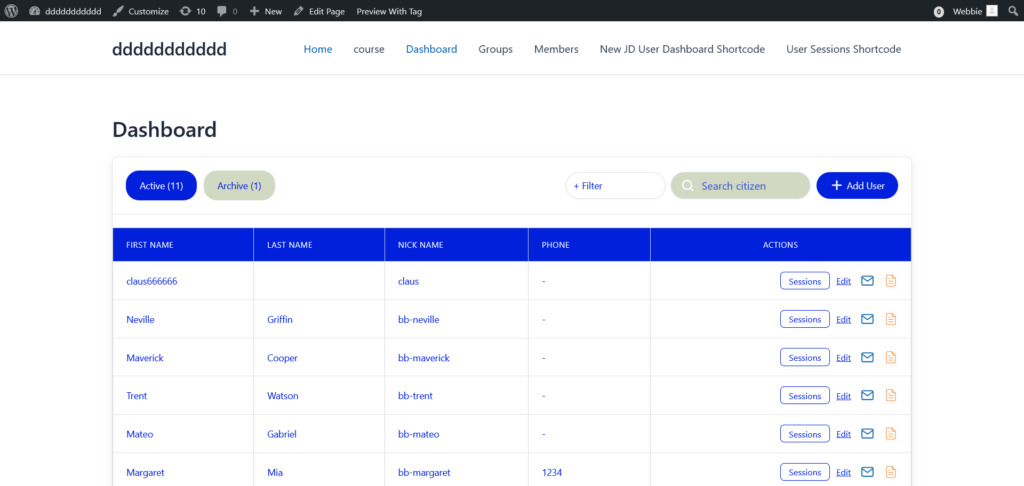
The WP User Dashboard is the plugin for managing your user without the need to enter the backend of the website. The Dashboard will be shown on the frontend, and you can add, edit, update, or view the note of the user, giving you the full control of managing your user.
Function
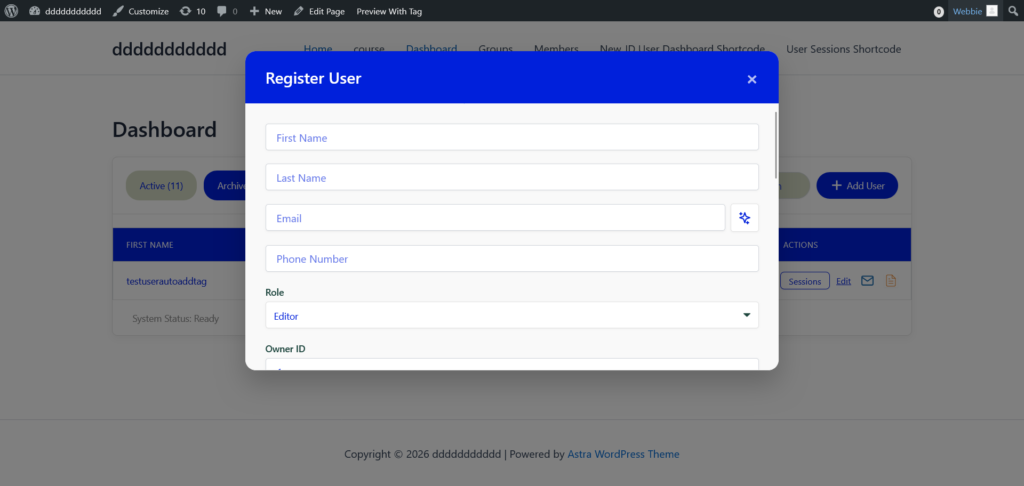
1. Add User
This function allow use to add information about the new user
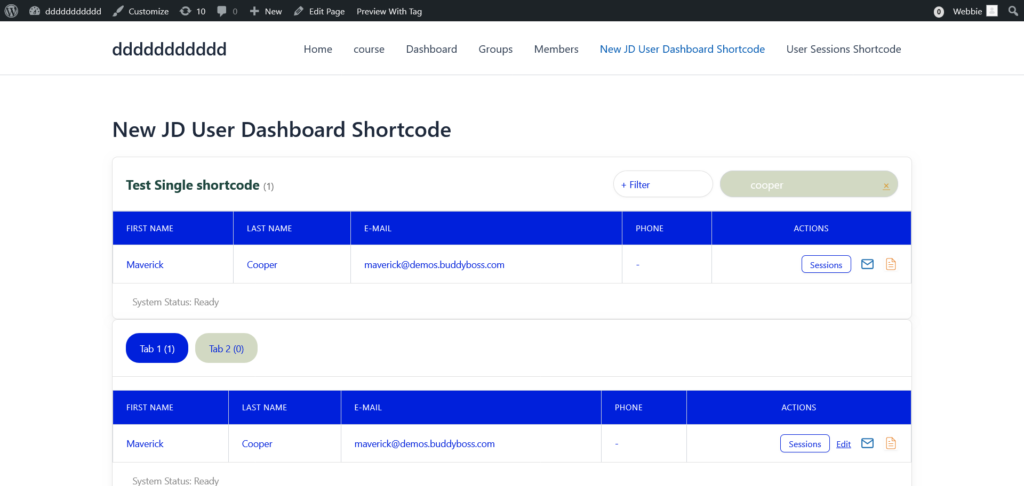
2. Search User
Allow you to search for a specific user by their first name, Last name, email, phone, etc. The dashboard will show the result that match what the manager search.
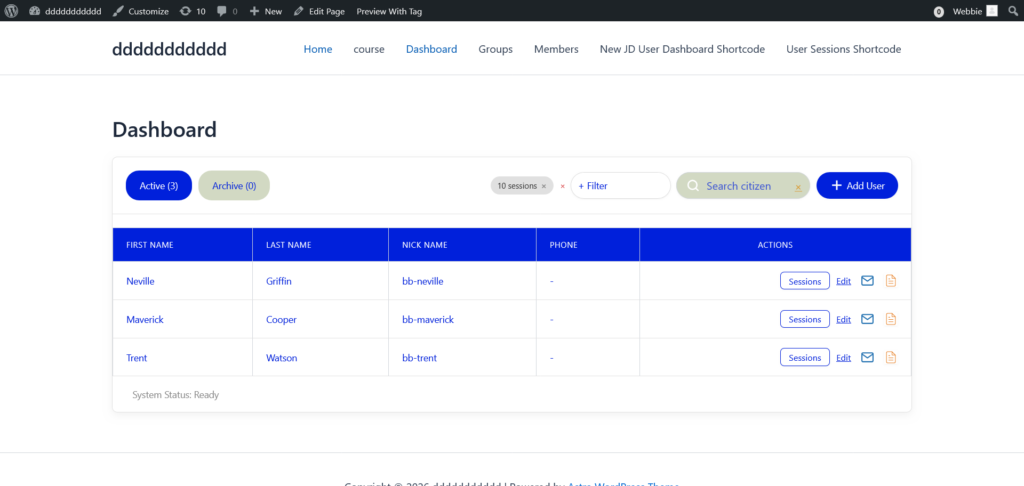
3. Filtering
This part allows you to filter on how you want the dashboard to be show on your website
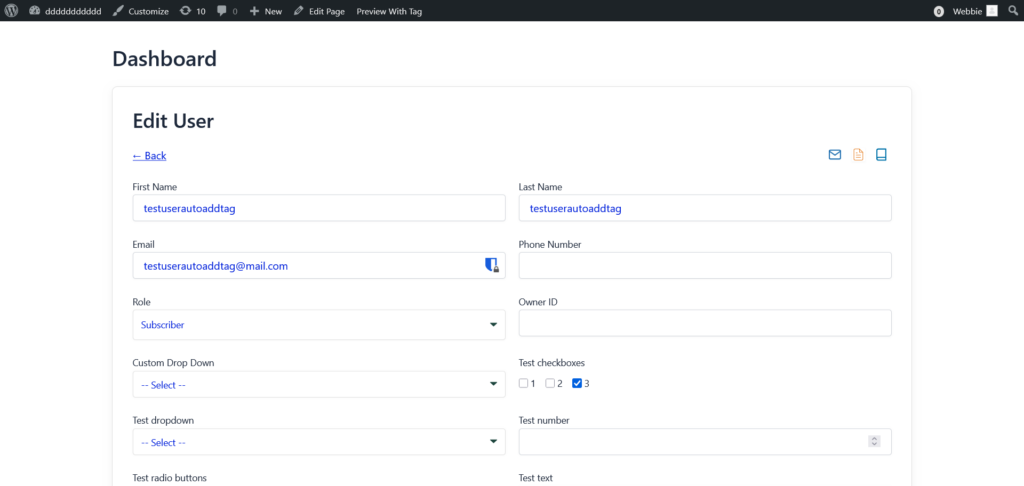
4. Edit User
This part allow manager to edit, delete, or update the latest information about the user, replace the outdated information of the user.
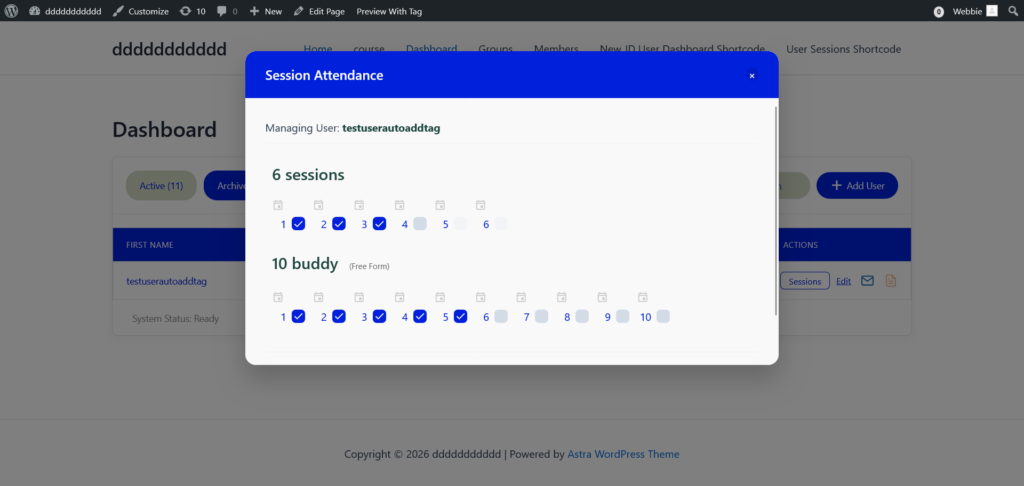
5. Session Management
Allow you to manage the session for each user with ease by clicking on the checkbox and the information will be registered in CRM like groundhogg.
The WP User Dashboard provide you three more features.
WordPress User Dasboard plugin
Want to try this plugin out?
Join the WP User Dashboard launch list and get exclusive access to:
Requirements

wpfusion - Automatically add the user information into CRM database without the need of entering the backend.

Groundhogg - Store the information into the database after adding the new user or editing the information of the registered user.
Contact Us