The Event Booking Plugin Built for WordPress Communities
Create exclusive events, manage bookings, and connect your community with the power of BuddyBoss and WP Fusion. Perfect for membership sites, online communities, nonprofits, and organizations that require members to log in before registering.
Monthly
$7.99
Annually
$79.99
Lifetime
$239.99
Features
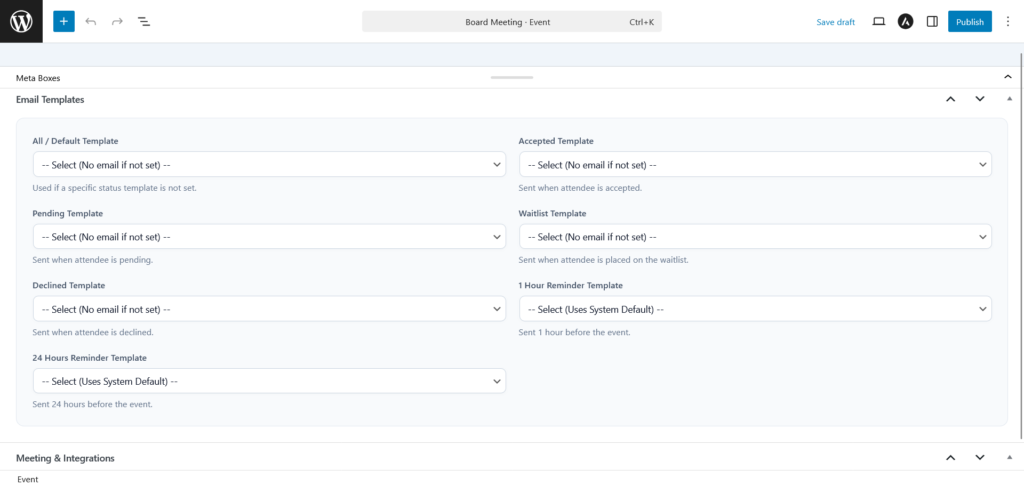
Email Templates
Send an email with different templates to attendance with different status to notify about the event they have registered
Meeting Integrations
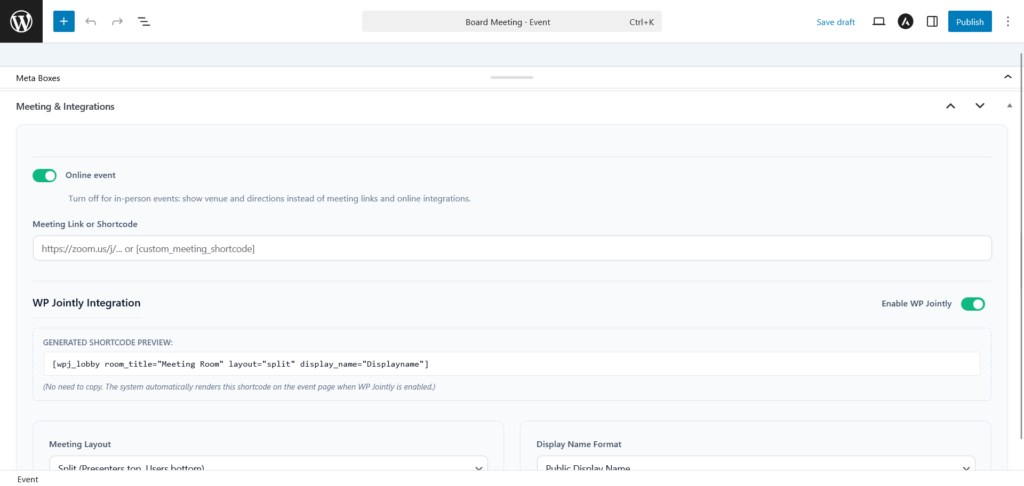
Set up an offline event or using a short code with WP Jointly or create an external link for online event
Attendance Management
WP Booking Event allows you to manage the attendance that has registered with ease
Access Integrations
Set up your accessibility for your event. WP Booking Event has integrated with WP Fusion and BuddyBoss
Date/Time Format
Control how dates and times are formatted globally across frontend event pages and automated emails.
Capacity Management
WP Event Booking allows you to customize the capacity of how many people can participate. From 1 to infinity
⭐️ Recommended Workflow
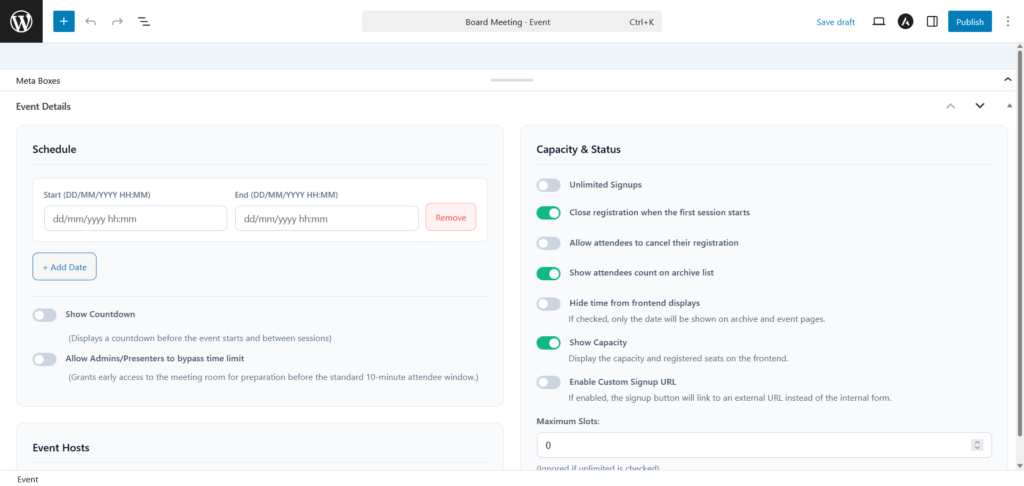
1. Define Schedule & Basic Details
Start by setting the event Date & Time (Schedule). Why? Because session dates are required for the countdown timer, calendar invites, and attendance tracking to function correctly.
2. Configure Meeting & Venue
Choose whether the event is Online or Offline. This dictates what information is displayed on the event page and sent in confirmation emails.
3. Set Capacity & Registration Rules
Define the Maximum Slots, Unlimited Signups, and the Default Signup Status. If you require manual approval, set the default status to Pending. If anyone can join instantly, set it to Accepted.
4. Map Email Templates
Once the core rules are set, assign your pre-created email templates to each status (Accepted, Pending, etc.) so the system can send automated emails immediately when a user registers.
5. Publish & Manage
Publish the event (ensure Display Publicly is checked). Later, use the Manage Attendees section to change user statuses and track session attendance.
1. Event Details
This section manages the core schedule, hosts, capacity, and registration behavior of the event.
2. Email Templates
Assign specific email templates to trigger automatically based on attendee status changes. You must create these templates in the “Email Templates” menu first.
3. Meeting & Integrations
This part allows you to choose whether you want to have an online meeting or offline meeting
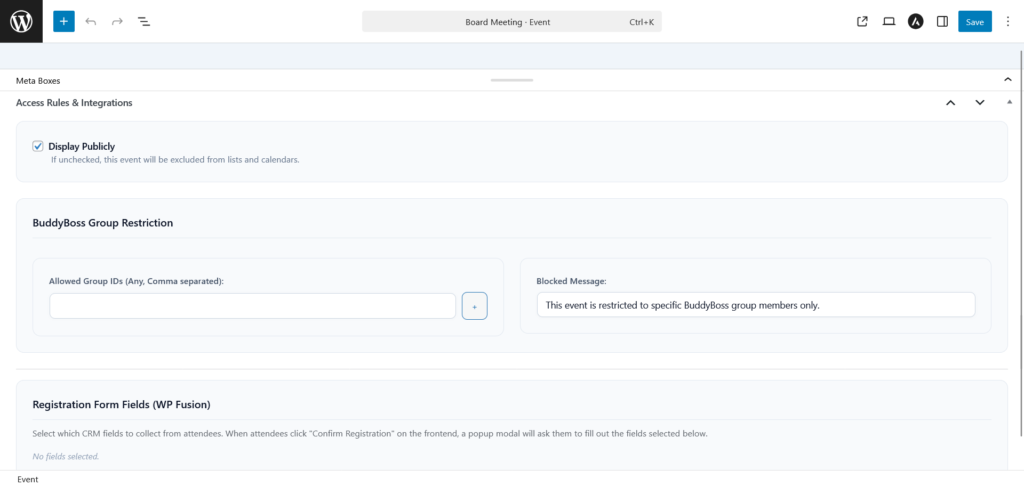
4. Access Rules & Integrations
This part allow use to set on who could participate this meeting with WP Fusion and BuddyBoss setting
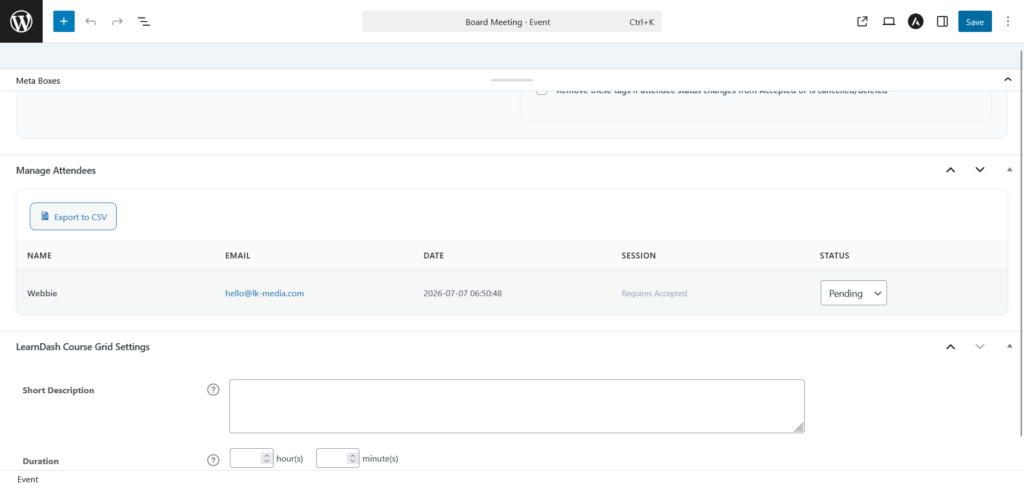
5. Manage Attendees
This table allows you to oversee and manage registered users.
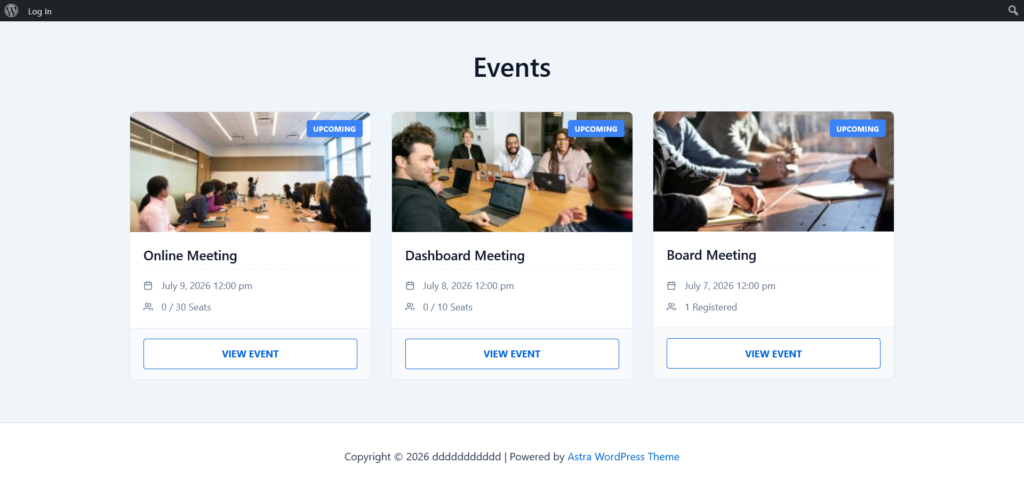
The WP Event Booking plugin provides three main shortcodes to display events and user dashboards across your website.
WordPress Event Booking plugin
Want to try this plugin out?
Join the WP Event Booking launch list and get exclusive access to:
Requirements

WP Jointly help you enable the meeting room with a simple short code and allow you customizing on how you want your meeting to look like.

WordPress – Add short code to any page or post and start your meetings.
Contact Us